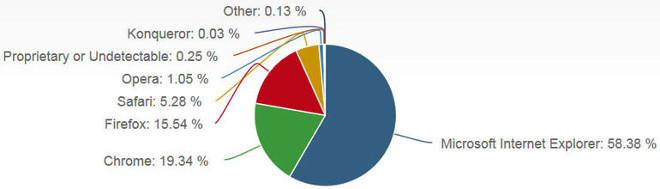
Google’s desktop Web browser has inched past Firefox in market share calculated for June 2014 by Net Applications. Chrome went from 17.7% in May to 19.3% last month.
That said, Internet Explorer still reigns supreme according to this particular data set, hovering above its competitors with a whopping 58.3% market share in June. Read more »
To say that Internet Explorer has lost a step in the browser wars is a bit of an understatement; there was a point in time, not too long ago, where if you told someone you used IE to browse the web, you were mocked.
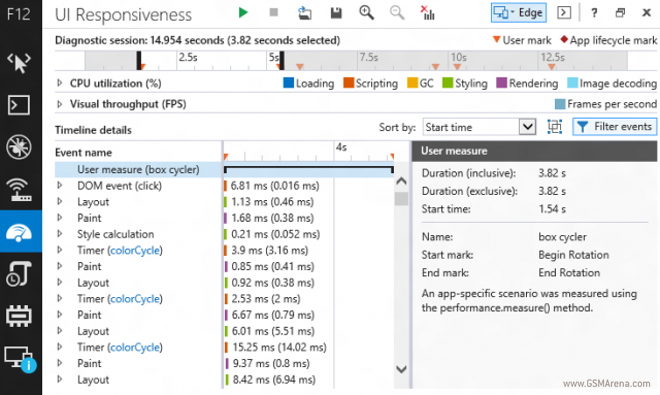
But Internet Explorer has since cleaned up its act and is a way more capable browser than it once was, and now the IE team has decided to try and get more power users on board by creating an IE Developer Channel Release. Read more »
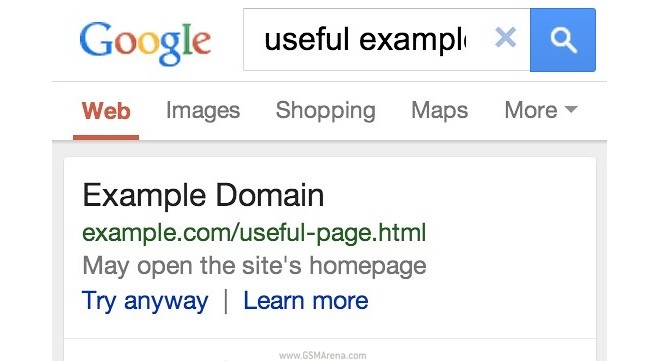
It’s happened to all of us – searching on Google on our mobile devices, tapping an article result and getting redirected to the website’s mobile homepage instead of the article we wanted. Well Google’s noticed and will start flagging such faulty links in its English results in the US so that we know before we tap.
But aside from leaving a comment – “May open the site’s homepage” – Google will still give you a Try anyway button if you’re eager to tread into the unknown. We hope the new feature makes its way outside of the US soon. Read more »
Google has finally released a 64-bit version of Chrome for Windows. Currently only in beta form, the latest build can be downloaded from Google’s Canary and Dev channels.
According to Google, the 64-bit version is faster than the 32-bit version, with an average 25% improvement in performance. It is also more secure than the 32-bit version, and takes advantage of features such as High Entropy ASLR on Windows 8. Finally, the 64-bit version is also more stable with almost half the crashes of the 32-bit version. Read more »
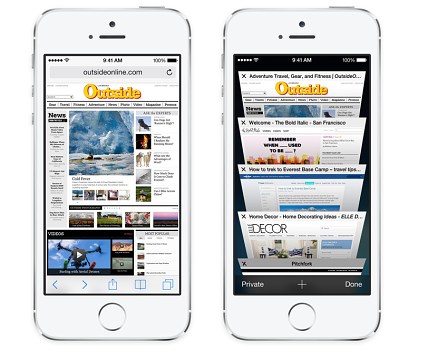
Apple didn’t spend much time detailing the new Safari version that comes as a part of the iOS 8 update, only mentioning its slightly altered UI and improved search box. Today, however, we learn that it will also bring improved HTML5 support.
Benchmarks of the new mobile Safari appeared in the HTML5test.com database, showing that the browser scores 440 points (out of 550). That’s notably better than the 412 score of its predecessor and even beats the Android 4.4 KitKat stock browser, which achieves 428 points. Read more »
Ever see Android users shouting “OK Google” into their phones, forcing their little Droid handsets to do their bidding via voice, and find yourself feeling left out?
Well there’s no need to be jealous any longer, because even if you don’t have an Android phone, you can still use google voice commands in Chrome. Read more »
Mozilla has released version 29 of their desktop and mobile browser. But while the mobile browser only gets a few new features, the desktop version get a completely revamped interface.
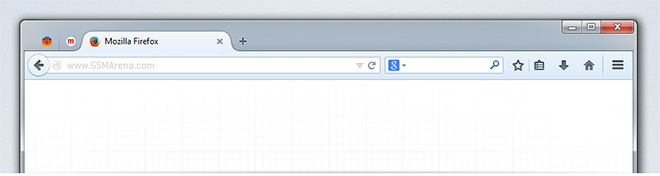
Firefox for desktop interface features a new tab bar that looks like the one on Google Chrome, with its pyramid shaped tab structure. One interesting design feature is the way background tabs just blend with the background until you highlight them. Read more »
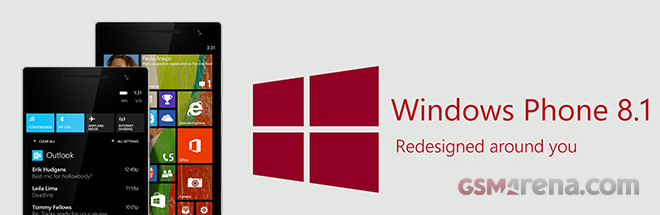
We already said in our Windows Phone 8.1 review that the OS feels smoother than its predecessor, but is it really? Well we’ve decided to run some benchmark tests and see how the new OS performs under pressure. Microsoft has done quite a few optimizations for sure, so we are eager to see how the update is handled by different phones.
We had three Lumia phones around for our tests – Lumia 720, Lumia 1020 and Lumia 1520. We rаn each benchmark on Windows Phone 8 with GDR3 and Nokia Black updates, and then we’ve updated all three devices to the latest Windows Phone 8.1 Developer’s Preview. Read more »
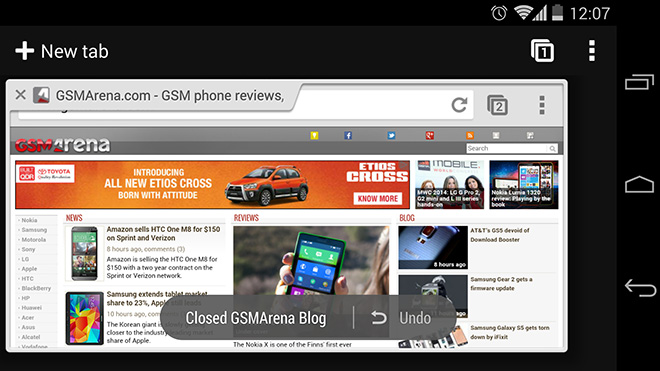
Google has released a new version of the Chrome Beta browser for Android (v35.0.1916.34). Chief among the new features is a handy undo function for closed tabs. If you ever find yourself accidentally closing a tab, you will get an undo button at the bottom of the screen, which will quickly reopen the tab. If you keep pressing it, the app will keep reopening previously closed tabs.
Another change is to fullscreen video playback within the browser. The controls for fullscreen video have now been revamped and instead of the large playback control overlay at the bottom you just get a longer version of the standard controls in fullscreen mode. Read more »
He’s replacing Gary Kovacs, who announced that he would be stepping down about a year ago. Hit the jump to find out what Eich’s vision for Mozilla is, now that he’s calling the shots. Read more »
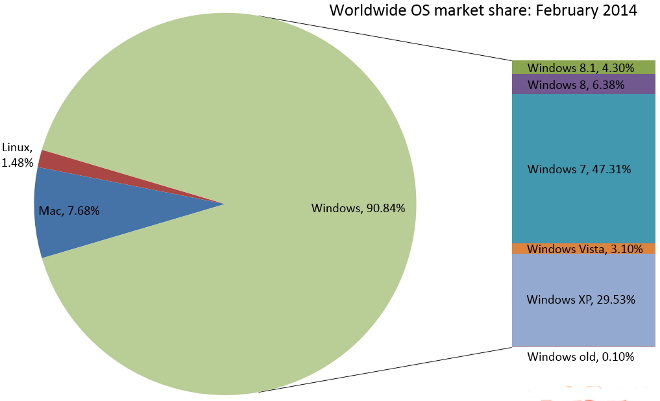
Both Windows 8.1 and Internet Explorer 11 have gained some market share.
Windows 7 and Internet Explorer 8 are still ruling the OS and Browser roosts at 47.31% and 21.73% respectively. Join us after the jump for a more in-depth breakdown of the numbers. Read more »
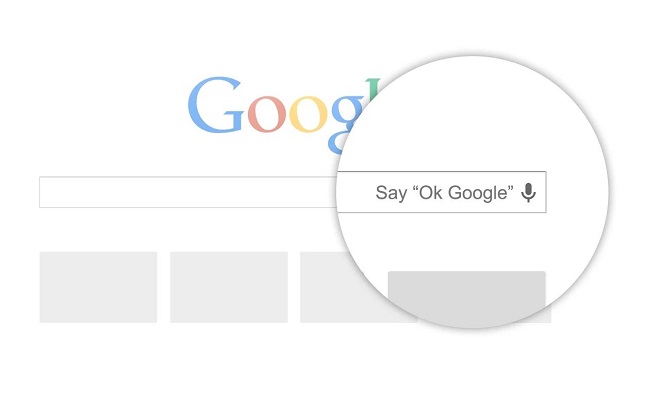
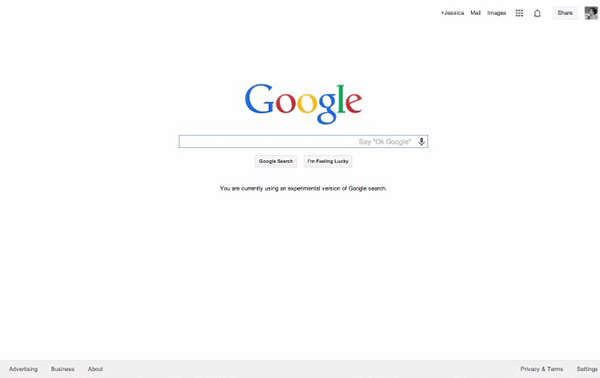
A few months back, Google had released an extension for Chrome that would allow you to use search simply by using your voice and saying the phrase “Ok Google”. Now, that functionality is being built-in to the browser and is available first through the new beta.
If you install or update to the latest Chrome beta, you will be able to do a voice search from the Google homepage or from the new tab page. You can use it the same way you’d use it on your Android phone, by starting with “Okay Google” and then saying your query. You can also use it to set a timer or a reminder. Read more »
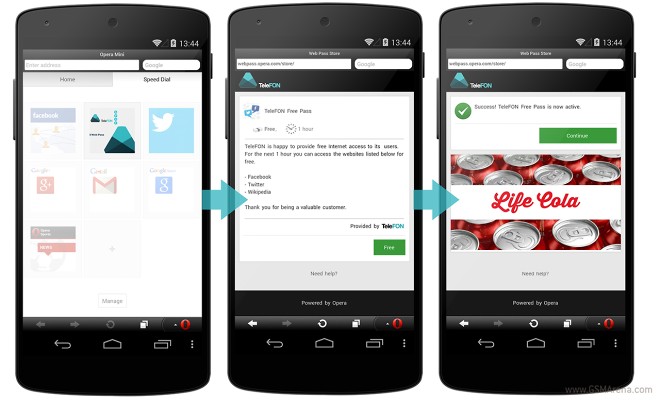
Opera has been hard at work with carriers to make mobile internet more affordable than ever, and their latest Web Pass service is the latest product of that endeavor.
The service lets operators package mobile internet offerings that allow you to browse the web on a 3G network limited by time, content, or both. Read more »
Mozilla has announced plans on further monetizing the Firefox desktop browser, and this involves adding sponsored content through a feature called Directory Tiles. This feature will suggest sponsored content to new users after they install the browser.
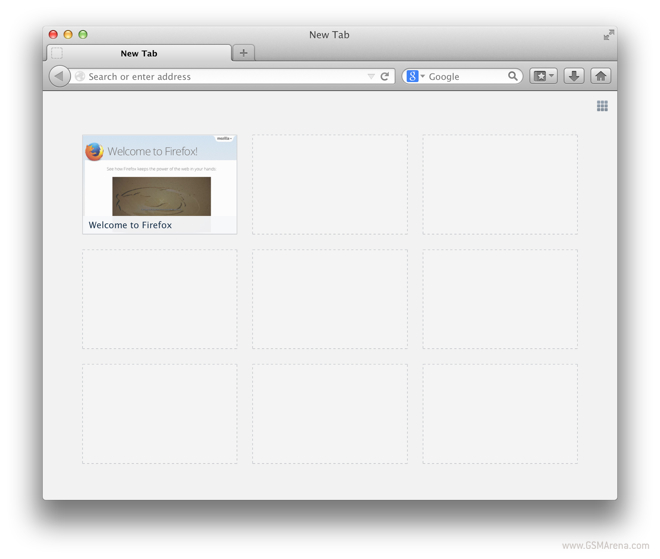
Currently, the new tab page on a freshly installed Firefox shows blank tiles on the New Tab page (as seen above), which eventually get populated by your frequently browsed websites. What Directory Tiles will do is instead of showing blank tiles, it will show you content from Mozilla ecosystem, popular websites from your geographic location and sponsored content from selected Mozilla partners. The sponsored content will be explicitly marked as such so you know what you’re clicking on. Read more »


 Xiaomi Mi 4i battery life test
 Lenovo A7000 Preview
 Samsung Galaxy S6 updated to Android 5.1.1: exploring the differences on video
 HTC One M9+ preview
 HTC One E9+ performance benchmarks